

On air Broadcast playout automation

Automated broadcast playout, without enterprise complexity.

Plan your channel, automate your schedule and stay on air with Telvi Server and Telvi Player. Built for local broadcasters, community TV and production teams that run a full channel with a small crew.
Up to 4 Players Up to 4K UHD Automatic failover Runs on-premises
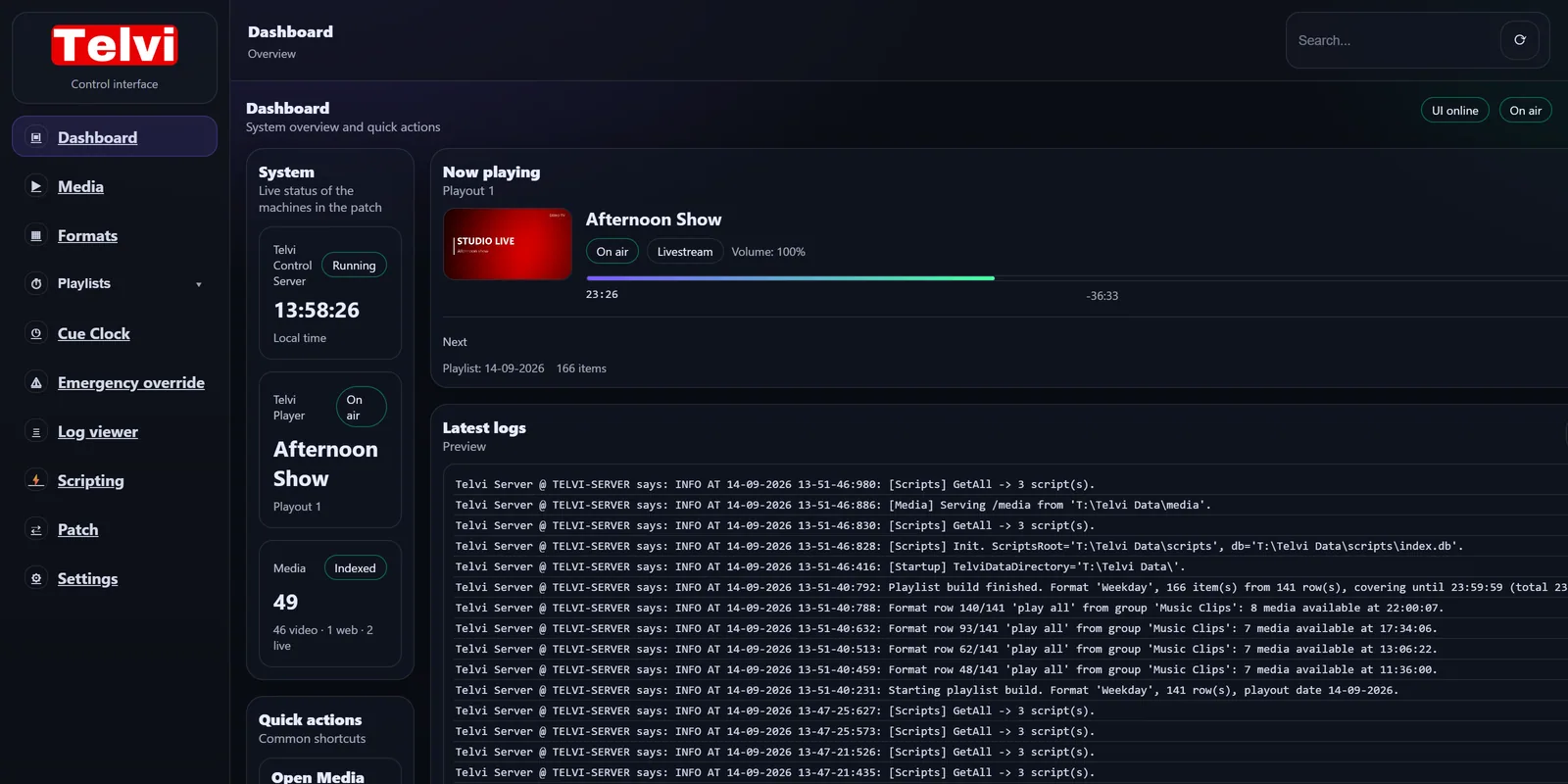
telvi-server:7269 · Dashboard
Telvi Server dashboard: the control server is running, Telvi Player is on air with a live show, 49 media items are indexed and the latest log lines are shown.
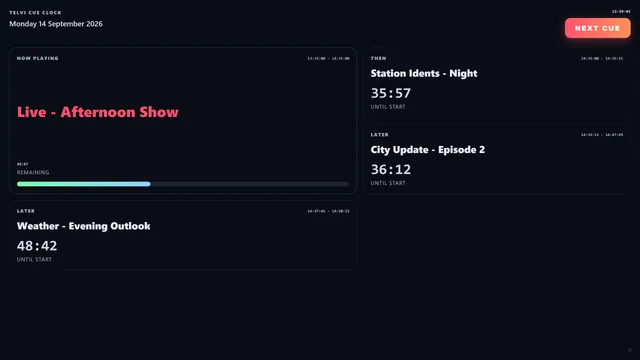
CUE CLOCK · STUDIO DISPLAY
Cue Clock display: a live show is on air with its remaining time, the NEXT CUE button is armed and the next items count down.
On air with Telvi
RTV Ridderkerk Omroep Hoeksche Waard
Your station next? Book a demo →
Why Telvi

A full channel, without a full control room.

Most local and regional channels are run by a small team. Telvi takes over the repetitive work of scheduling and playout, so your people can spend their time on programming.

01

Build tomorrow's schedule today

Generate playlists up to 30 days ahead from reusable formats, check them, and let Telvi take it from there.

Format Editor · Playlist builder
02

Keep broadcasting when nobody is in the control room

Telvi Player follows the playlist to the second, through the night and the weekend, without anyone at the desk.

Telvi Player
03

Change what's next without touching what's on air

Update today's playlist during the broadcast. The player picks up the new schedule while the current item keeps playing.

Live playlist updates
04

Recurring programming in minutes, not hours

Describe a typical day once as rules. Telvi picks the right episodes, promos and fillers every time you generate.

Selection rules · Automation grid
05

No black screen when something goes wrong

An emergency playlist takes over when normal programming isn't available, and a backup Player can take over when a machine fails.

Emergency playlist
06

Automation that makes room for live

Mark live segments with user cues. Your operator ends them with one button, exactly when the studio is ready.

User cues · Cue Clock
How it works

From media to on air in four steps.

You don't need to read the manual to understand Telvi. This is the whole idea, shown in the real interface.

01Prepare media

Import videos, add websites and livestreams, organise them into groups.
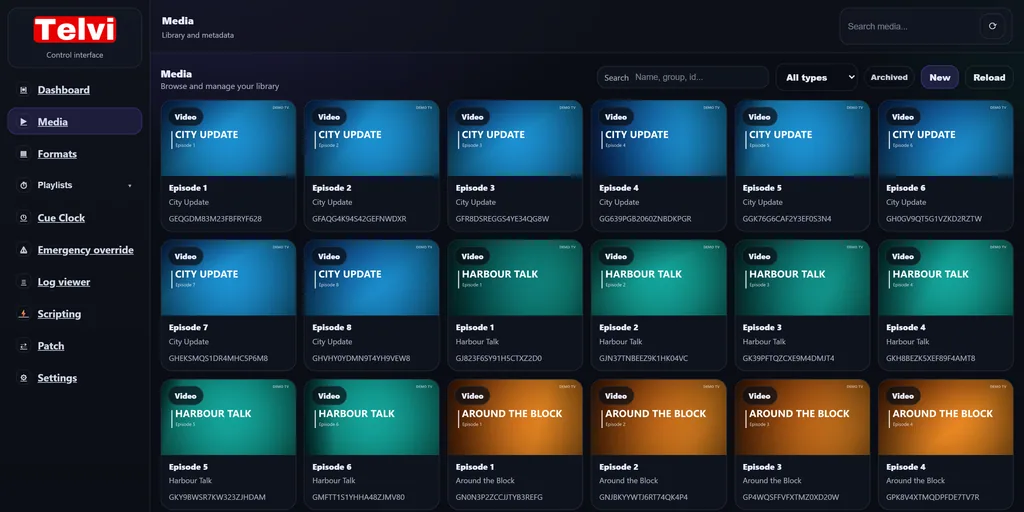
telvi-server:7269/media
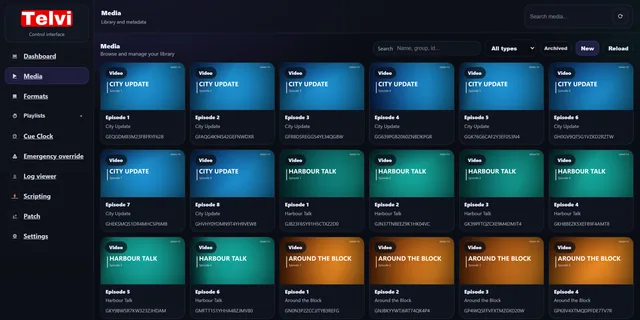
Telvi Server media library with episodes, idents, promos and music clips shown as thumbnails, grouped per programme.
Telvi Importer brings new files into your Telvi Drive and adds them to the library.Media library in the manual →

02Build a format

Describe a day as rules: what plays, how it's picked, and when each block starts.
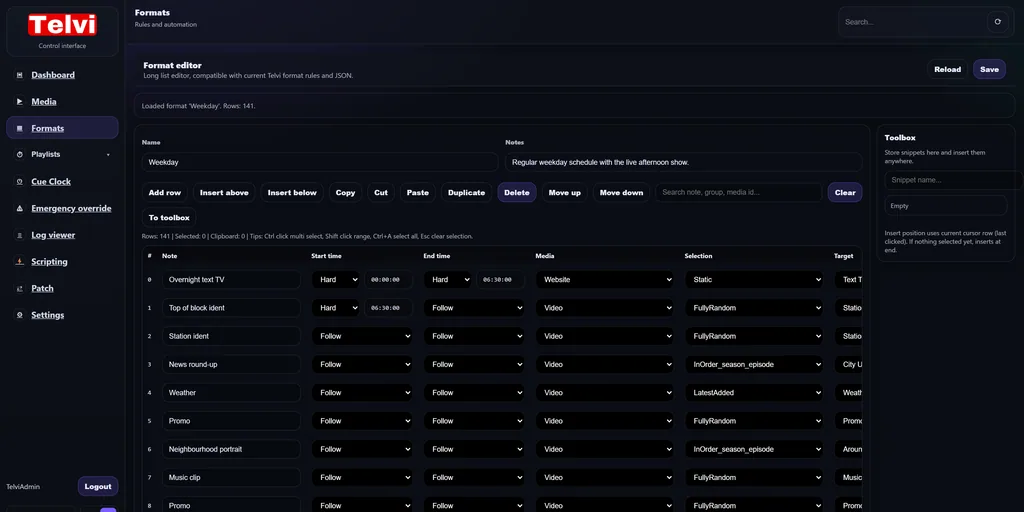
telvi-server:7269/formats/edit/Weekday
Format Editor with a weekday format: each row has a note, a start and end type (Follow or Hard), a media type and a selection rule.
One format per kind of day: weekday, weekend, council night.Formats in the manual →

03Generate playlists

Roll the format out to the days you need, up to 30 days ahead.
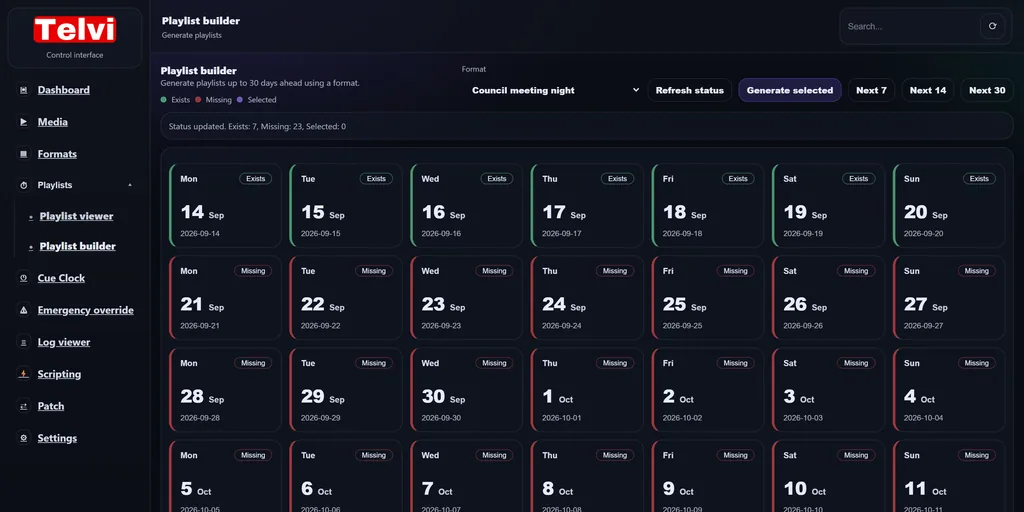
telvi-server:7269/playlist/builder
Playlist builder calendar showing which of the next 30 days already have a playlist and which are still missing, plus the emergency fallback playlist.
See at a glance which days are ready and which still need a playlist.Playlist builder in the manual →

04Go on air

Telvi Player plays it out automatically, and you can see exactly what's on.
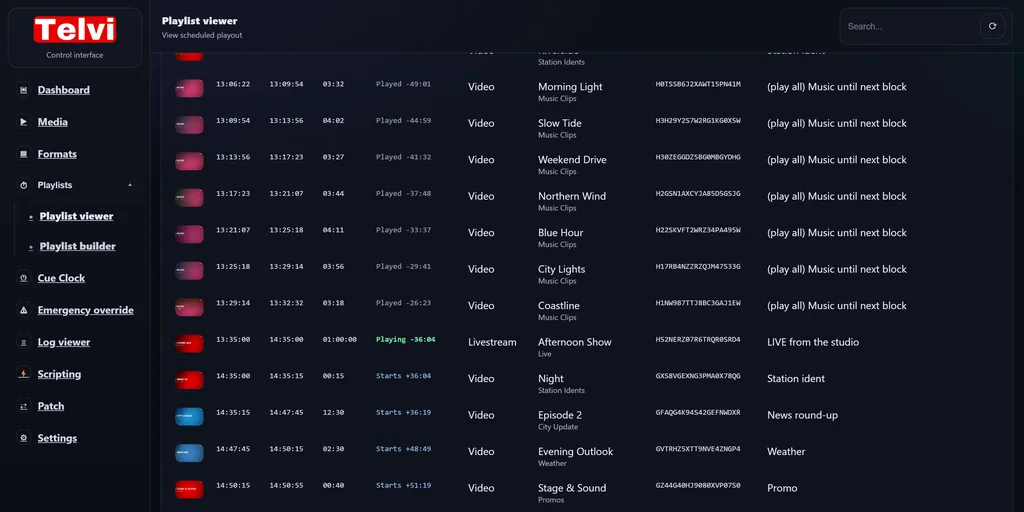
telvi-server:7269/playlist/viewer
Playlist viewer with today's playlist: every item with start, end and duration, the live show marked as playing and the upcoming items with their start times.
Every item with its exact start time, and what's playing right now.The full workflow →
The product

Three parts, one system.

Telvi Server plans your channel, Telvi Player puts it on air, and the Cue Clock keeps your team in step with both.

Telvi Server

Plan and automate.

The control centre of your channel, in the browser. Media, formats, playlists, users and settings live in one place that anyone on your team can open.
  • Works in any browser on your network, no installation per workstation.
  • One library for everything: video, websites and livestreams, organised in groups.
  • Playlists up to 30 days ahead, generated from reusable formats.
Explore Telvi Server →
telvi-server:7269/media
Telvi Server media library.
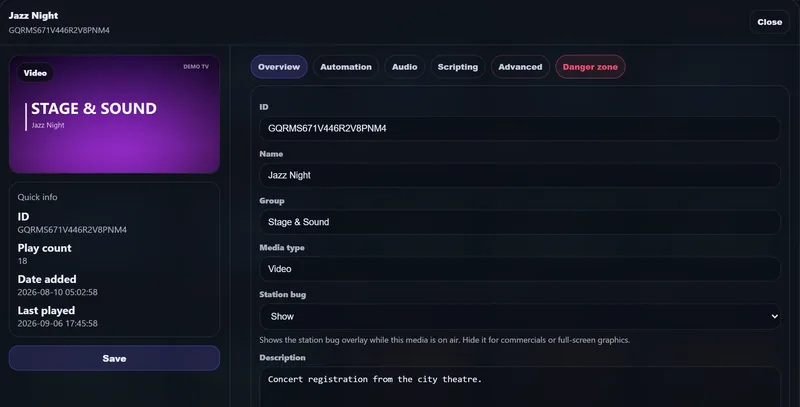
MEDIA EDITOR
Media editor for a concert registration, with its group, description and station bug setting.
Telvi Player

Reliable on-air playout.

Telvi Player runs full screen on your playout PC and sends the picture out through the graphics card, in HD or up to 4K UHD.

  • Clean transitions: the next item is prepared on a second, hidden player before it's needed.
  • Video, websites and livestreams in the same playlist, from text TV to an HLS stream.
  • Station bug overlay from a transparent PNG, switched off per item for commercials or full-screen graphics.
Read about Telvi Player →
PGM
Telvi Player output: a programme opener on air with the station bug in the top right corner.
Cue Clock

Take control when automation meets live production.

A clear view of what's on air and what's coming, built for a studio screen. When a live segment is running, the operator decides when it ends.
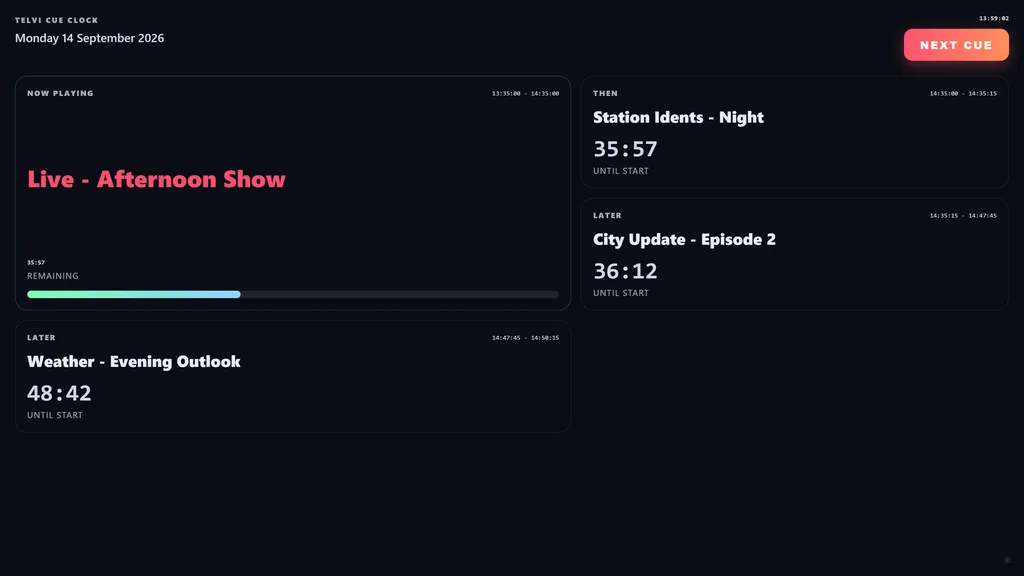
  • Now and next with countdowns to the second.
  • NEXT CUE ends a live segment exactly when your studio is ready.
  • Full-screen display mode for a monitor in the studio or gallery.
Read about the Cue Clock →
telvi-server:7269/cueclock/display
Cue Clock in display mode with the live show on air, the remaining time, and the next items counting down.
Automate

Define the rules once. Generate the schedule again and again.

A Telvi format isn't a fixed list of files. It's a description of how your day works, so every playlist it generates is fresh, varied and on time.

Start and end timing

Back-to-back, fixed clock times, or wait for the operator.

FollowHardUser cue

Selection rules

Random, one-time random, in order by season and episode or alphabetically, latest added, or one fixed item.

Weighting and repeats

Play favourites more often and keep a minimum number of hours between repeats.

Automation grid

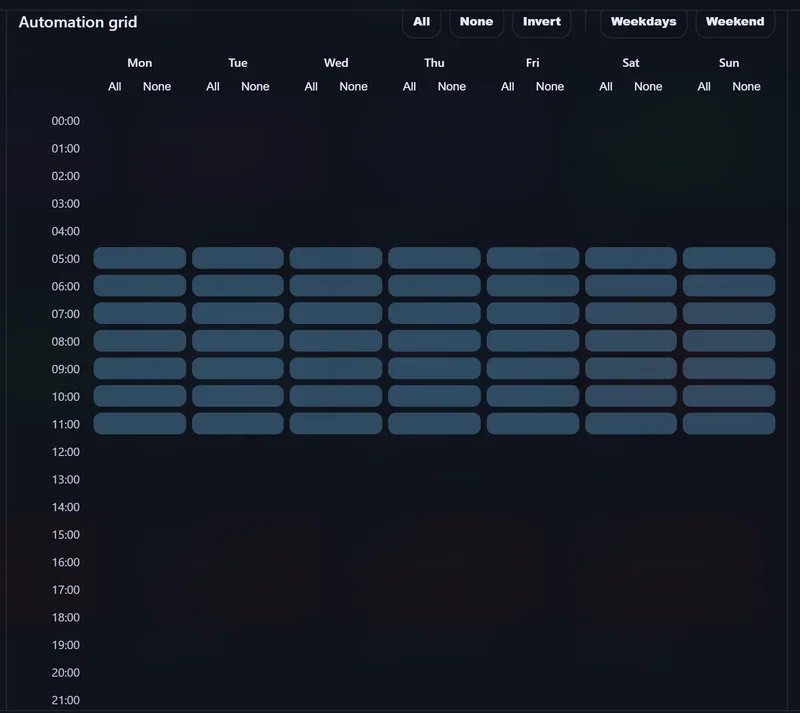
Choose per item on which days and at which hours it may be scheduled.

Validity periods

Promos and campaigns start and stop on their own dates, without anyone editing a playlist.

Play all until a hard time

Fill a block with a whole group and stop cleanly at the next fixed start time.
Explore scheduling in the manual →
telvi-server:7269/formats/edit/Weekday
Format Editor showing the rows of a weekday format with their timing and selection rules.
AUTOMATION GRID
Automation grid for a morning weather bulletin: it may only be scheduled between 05:00 and 12:00, every day of the week.
Stay on air

Built to stay on air.

For a broadcaster, a black screen is the one thing that can't happen. Telvi is designed around that, from the way it prepares transitions to the way it saves a playlist.

Fallback

Emergency playlist

A looping fallback playlist takes over automatically when there's nothing scheduled or the normal playlist can't be used.

Manual takeover

Emergency override

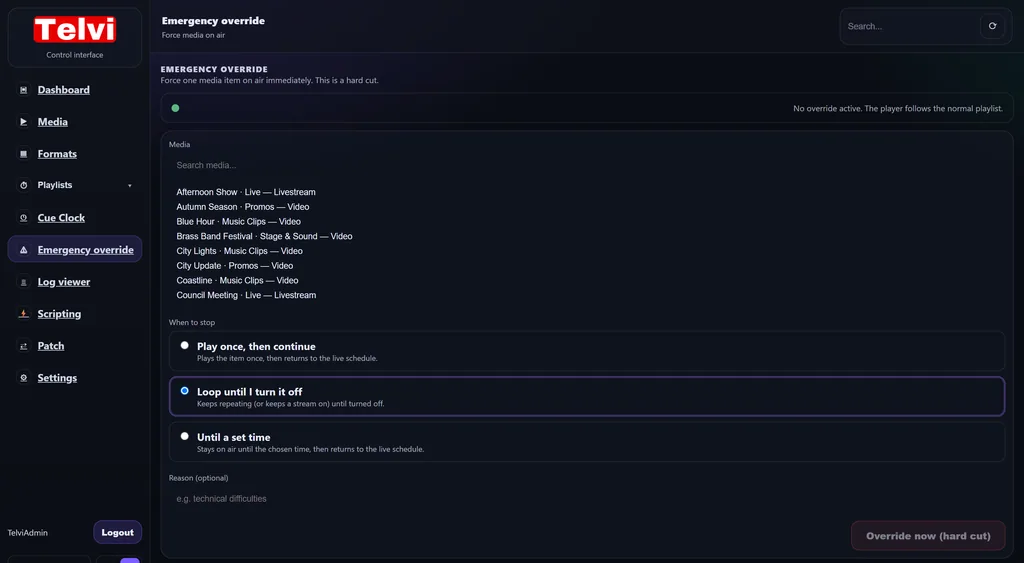
Put one item on air instantly: play it once, loop it until you stop it, or keep it on until a set time.

Read about emergency override →
Dual player

Preloaded transitions

The next item is prepared on a second, hidden player. Telvi only switches when that picture is ready.

Hot reload

Live playlist updates

Edit or regenerate today's playlist during the broadcast. The player loads it without interrupting what's on air.

Safe writes

Never a half-saved file

Playlists and media data are written atomically, so a player always reads either the old or the new version.

Offline tolerant

Keeps playing without internet

Playout never depends on your connection. After a long outage only configuration changes pause until the licence check succeeds.

Failover

Automatic failover to a backup Player.

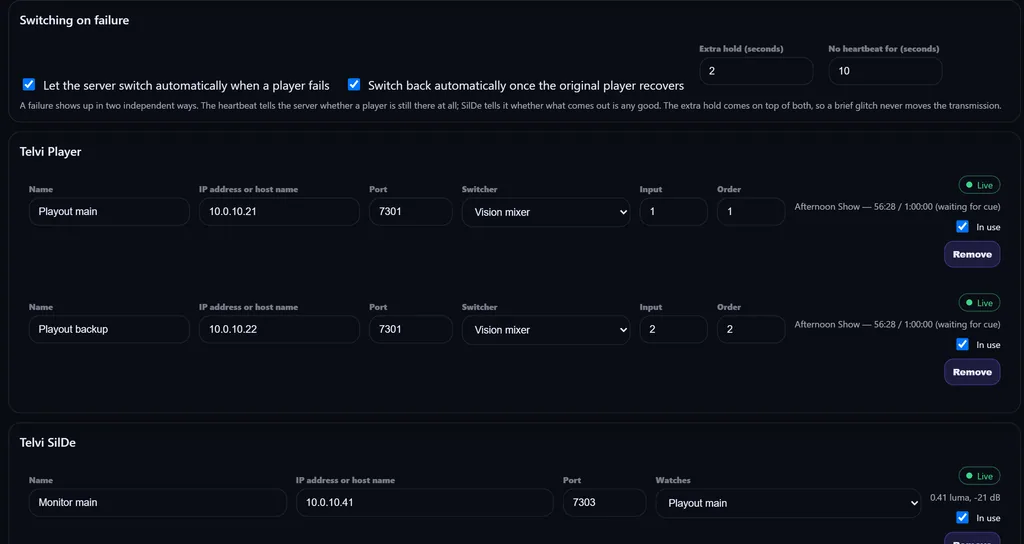
Put a second Telvi Player on the same schedule, behind your video switcher. Telvi watches every Player in two independent ways and switches the transmission when one fails.

  • Heartbeat: the server notices within seconds when a Player stops responding.
  • Telvi SilDe watches what actually goes out, for black, silence, freeze or a lost signal.
  • Hold time, so a brief glitch never moves the transmission.
  • Switch back automatically once the original Player has recovered, if you want to.

Works with Blackmagic ATEM, vMix, Kramer and Extron, or any switcher that accepts TCP or HTTP commands. The failover plan is shown in advance, so you know what Telvi will do before it ever has to.
telvi-server:7269/patch
Patch page in Telvi Server: a main and a backup Player on a video switcher, each watched by SilDe, with automatic switching and automatic return enabled.
telvi-server:7269/emergency
Emergency override page: search a media item and choose play once, loop until turned off, or until a set time, then override now.

A hard cut when you need one.

Emergency override is deliberately simple: pick the item, pick when it should stop, press the button. The player cuts to it immediately and returns to the live schedule on its own.

  • Play once, then continue with the schedule.
  • Loop until you turn it off, for a stream or a holding slide.
  • Until a set time, then back to the schedule automatically.
Integrate

Fits the way your station already works.

Telvi runs on your own machines and storage, talks to the rest of your gear through scripts, and grows from one Player to four.

Scripting

Trigger your gear from the schedule

Run a Windows script when an item starts or ends: cut the vision mixer to the studio, start a recorder, recall a lighting preset.
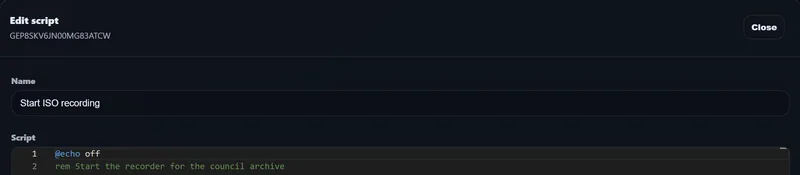
Script editor in Telvi Server with a short Windows batch script that starts a recorder.
Branding

Station bug, per item

Upload a transparent PNG, place it once, and hide it automatically for commercials or full-screen graphics.
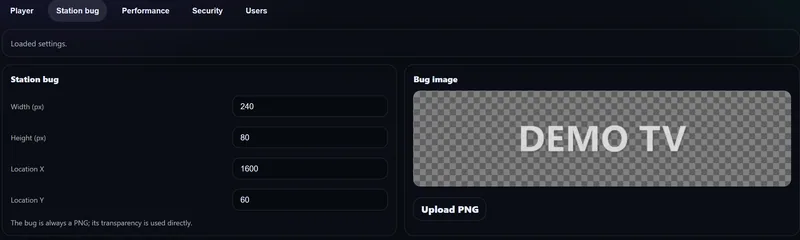
Station bug settings with width, height and position, next to a preview of the transparent logo.
Media types

More than video

Schedule websites and livestreams next to your videos.

  • Text TV and news tickers
  • HLS livestreams
  • Video in the house format
Storage

Your media, your storage

Everything lives on the Telvi Drive: a folder on a local disk or a NAS. Telvi Importer brings new files onto the drive and into the library.

Team

Users and rights

Give every colleague an account, with rights per user and a choice of login methods. The interface is available in English and Dutch.

Scale

Up to four Players, up to 4K

Run a main and a backup Player on the same schedule, or feed extra outputs. Each Telvi Player licence can run on its own machine or share one.

Connect

REST API Coming soon

Connect Telvi to your website, programme guide or your own automation. Included with Telvi Four.

Architecture

How a Telvi installation fits together.

Everything runs on-premises, on standard Windows machines. One installation runs one TV channel, with up to four Players on the same schedule.

Pricing

Start with the capacity your channel needs.

Scale up as your operation grows. Every tier includes the scheduling and playout engine. Higher tiers add Players, capacity, 4K output and integrations, and each card lists exactly what's included.

Telvi One

One playout output
1 PLAYER
€49/ month
Billed monthly
Licences: 1 Telvi Server + 1 Telvi Player
  • ✓1 Telvi Player output
  • ✓HD output, up to 1080p
  • ✓Up to 3 formats
  • ✓Up to 100 media items
  • ✓1 user account
  • ✕Backup Player with automatic failover
  • ✕Cue Clock sync
  • ✕REST API
  • ✓Email support
Book a demo

Telvi Four

Four Players · 4K
4 PLAYERS
€329/ month
Billed monthly
Licences: 1 Telvi Server + 4 Telvi Player
  • ✓4 Players on the same schedule
  • ✓Backup Players with automatic failover
  • ✓4K UHD output
  • ✓Unlimited formats
  • ✓Unlimited media items
  • ✓Unlimited user accounts
  • ✓Cue Clock sync
  • ✓REST API Coming soon
  • ✓Priority support and onboarding
Book a demo
In every tier
  • Format Editor
  • Playlist generation, 30 days ahead
  • Emergency playlist and override
  • Video, websites and livestreams
  • Station bug
  • Scripting
  • Browser-based Telvi Server

Telvi Custom

Several TV channels, more than four Players, or a special setup? Each TV channel is its own Telvi installation, and we'll size the licences to your station.

Book a demo →

Prices in EUR, per month or per year (two months free). Licences can run on one machine or on separate machines. One installation runs one TV channel. Evental Media uses the Dutch small business scheme (KOR), so no VAT is charged. See the terms and conditions.

Hardware

Runs on standard Windows broadcast hardware.

Telvi Server is lightweight. Player requirements scale with your output resolution and media formats, so you only invest where the picture needs it.

View system requirements →

Management PC

Telvi Server, opened from any browser

i3 / Ryzen 3 · 8 GB

HD playout PC

Telvi Player, up to 1080p

i5 / Ryzen 5 · 16 GB

4K playout PC

Telvi Player, 4K UHD on Telvi Four

i7 / Ryzen 7 · dGPU
Questions

Good to know.

Do I need special broadcast hardware?

No. Telvi runs on standard Windows 10 or 11 PCs. Telvi Player outputs through the graphics card, in HD or up to 4K UHD depending on your tier. See the system requirements.

Where are my media and schedules stored?

On your own storage. Media, formats, playlists and configuration live on the Telvi Drive: a folder on a local disk or a NAS that your Telvi machines share. Nothing is hosted in the cloud.

What happens if our internet connection goes down?

Playout continues. Telvi checks its licence online, but a broadcast never stops because a licence server can't be reached. After a long outage only configuration changes are paused until the check succeeds again.

Can we combine automation with live programmes?

Yes. Use user cues in your format for live segments. The Cue Clock shows what's on and what's next, and the operator ends a live segment with a single NEXT CUE. For breaking news there's the emergency override.

Can Telvi run several TV channels?

One Telvi installation runs one channel, with up to four Players on the same schedule, for example a main and a backup output. For several different TV channels you set up one installation per channel, and we'll help you size the licences.

Can I see Telvi before I buy?

Of course. Book a demo and we'll walk through your channel, your formats and your hardware, with Telvi running live.

Is VAT charged?

Evental Media uses the Dutch small business scheme (KOR), so no VAT is charged on our invoices. The prices you see are the prices you pay.

Book a demo

See Telvi on your own schedule.

A personal demo, online or on location. We look at your channel together and show you Telvi running live.
  • 01Your channel, your formats and your programming
  • 02Which tier and which hardware fit your station
  • 03Migration from your current playout
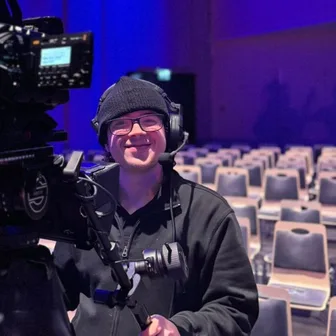
Sarah Bakkers behind a broadcast camera
Sarah Bakkers
Owner & developer of Telvi

You talk directly to the person who builds Telvi, so your questions get real answers and your ideas end up in the product.

Emailinfo@telvibroadcast.com CompanyEvental Media, Rotterdam

Request a demo

We'll get back to you personally to plan a date.

Please enter your name.
Please enter your organisation.
Please enter a valid email address.

Sending opens your email app with your request filled in. Nothing is stored on this website. Prefer to write yourself? info@telvibroadcast.com